
Give a questionnaire and track scores
Checked against the app on 24 October 2026
Give any of 13 questionnaires in the session or from the client’s file. The score and severity update as you go, every result is kept, and a chart shows the scores over time.
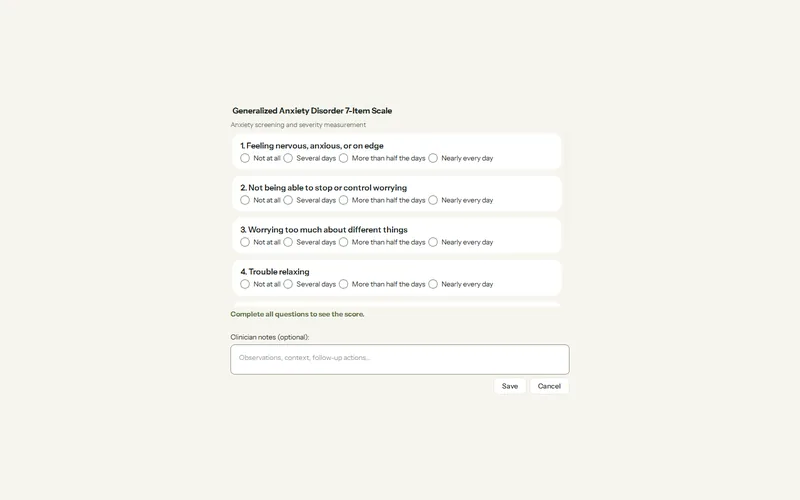
Where: Clients > a client > Measures > Administer assessment
Step 1: Open the client, then Measures > Administer assessment. During a session, use In-Session Assist > Tools > Questionnaires > Give now.
Step 2: Pick the instrument and fill it in item by item with the client. The score and severity update as you go.
Step 3: Save it. A partly answered form can be saved as incomplete.
Step 4: For a form completed elsewhere, press Enter score only… instead. An entered score keeps no items and raises no safety flag.
- Every result is listed newest first with its severity and item answers; Score over time… draws the trend.
- The Overview tab shows the latest scores with a trend chart.
- The brief before a session suggests what to give today: a core set at a first assessment, up to 3 screens triggered by what the client has said, and the Session Check at the end.
Was this article helpful?
Related articles
Still need help?
Write to us. We read every message and reply within one business day.