
Find your way around the app
Checked against the app on 24 October 2026
Eight places down the left, each with a shortcut; a New button on every page; and Go to anything (Ctrl+G) to reach any client, page or setting by typing a few letters.
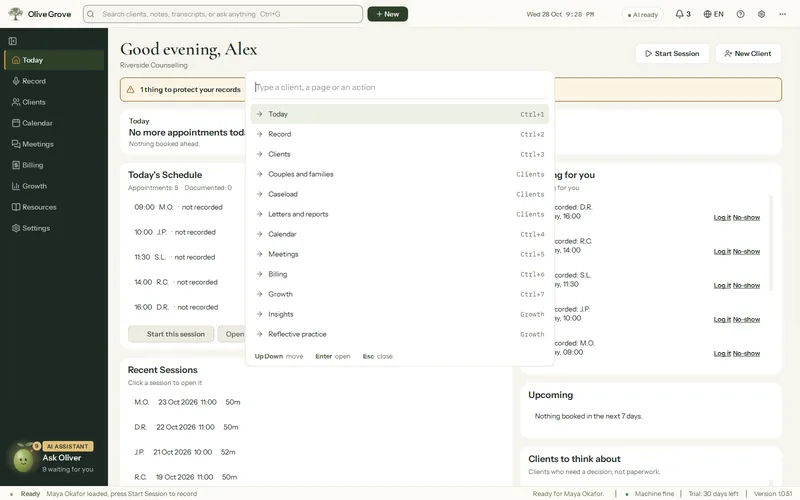
| Page | Shortcut | What it is for |
|---|---|---|
| Today | Ctrl+1 | Your day: the next appointment, today’s schedule, notes to write and sign, clients to think about. |
| Record | Ctrl+2 | Sessions: transcript, live cues, tools and questionnaires. |
| Clients | Ctrl+3 | Client files, the caseload, couples and families, letters and reports. |
| Calendar | Ctrl+4 | Appointments, connections, online booking and reminders. |
| Meetings | Ctrl+5 | Supervision, consultations and practice meetings. |
| Billing | Ctrl+6 | Invoices, payments, balances and reports. |
| Growth | Ctrl+7 | Insights on your practice, and Practice with a simulated client. |
| Settings | Ctrl+, | Everything else, with a search box. |
Other shortcuts worth knowing
| Keys | What they do |
|---|---|
| Ctrl+R / Ctrl+E | Start / end a session |
| Ctrl+Shift+Space | Pause or resume |
| Ctrl+Shift+N | Add a session from your notes |
| Ctrl+N | New client |
| Ctrl+G | Go to anything |
| Ctrl+J | Consult, the assistant |
| Ctrl+L | Lock the screen |
| Ctrl+T | Switch between your light and dark theme |
| Ctrl+= / Ctrl+- | Larger or smaller text |
| F11 | Open out the area you are in, to read or write in a large window |
| Ctrl+\ | Fold or unfold the left menu |
| F1 | Help, inside the app |
Was this article helpful?
Related articles
Still need help?
Write to us. We read every message and reply within one business day.