
Correct an invoice: credit notes, voids and refunds
Checked against the app on 24 October 2026
An issued invoice is locked so it matches what the client has. Lower it with a numbered credit note, void it if nothing has been paid, give money back with a numbered refund, or use a client’s credit on another invoice.
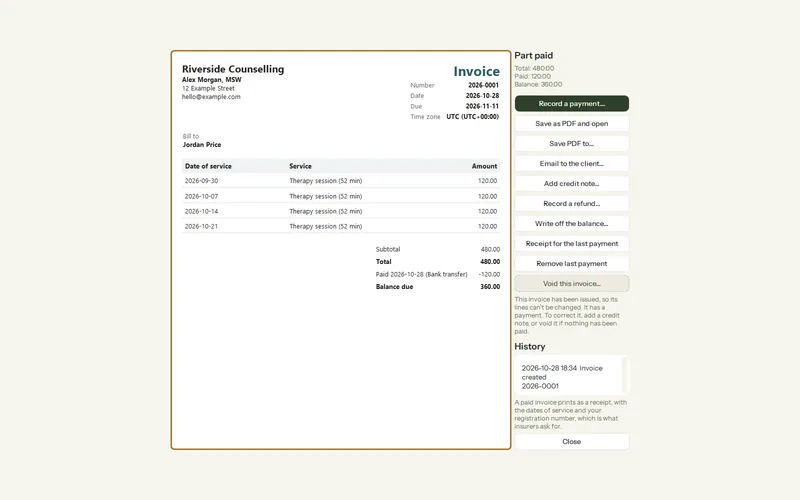
Where: Billing > Invoices > Open
| To… | Press | What happens |
|---|---|---|
| Lower what is owed | Add credit note… | A numbered credit note with your reason. It cannot exceed the invoice total; past what is owed it leaves the client in credit. |
| Cancel an unpaid invoice | Void this invoice… | The sessions go back to To invoice and the number is kept, so you can invoice again. |
| Give money back | Record a refund… | A numbered refund, up to what was paid on that invoice. Money received in reports is net of refunds. |
| Use credit | Use credit on another invoice… | An overpayment or a credit note on a paid invoice pays another of the same client’s invoices. It is not counted as money received. |
Step 1: Open the invoice from Billing > Invoices.
Step 2: Choose the action from the table above and give the amount and reason.
Step 3: Save the new PDF and send it to the client, as you did the invoice.
Was this article helpful?
Related articles
Still need help?
Write to us. We read every message and reply within one business day.