
Billing reports and your accountant
Checked against the app on 24 October 2026
Billing shows what you billed, received, are owed and still have to invoice for any period. Reports break money down by month, method and service, and one button saves a CSV of every invoice and payment for your accountant.
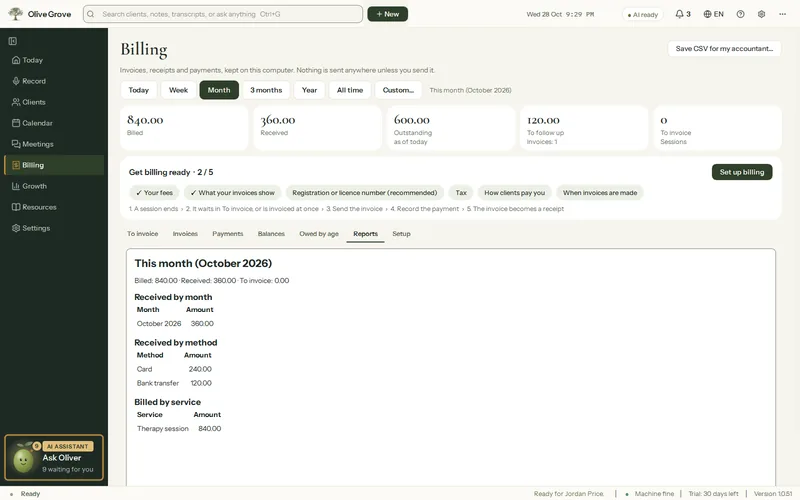
Where: Billing > Reports
Step 1: Open Billing and choose the period: Today, Week, Month, 3 months, Year, All time or Custom….
Step 2: Read the totals at the top: billed, received, outstanding, overdue and to invoice. Outstanding and overdue are as of today, whatever the period.
Step 3: Open Reports for received by month and method, and billed by service.
Step 4: Press Save CSV for my accountant… to save every invoice and payment in the period.
Was this article helpful?
Related articles
Still need help?
Write to us. We read every message and reply within one business day.