
Move to a new computer
Checked against the app on 24 October 2026
On the old computer, make one password-protected transfer file. On the new one, install Olive Grove and choose “I have records from another computer”. The licence moves with it, and a summary compares the counts on both computers.
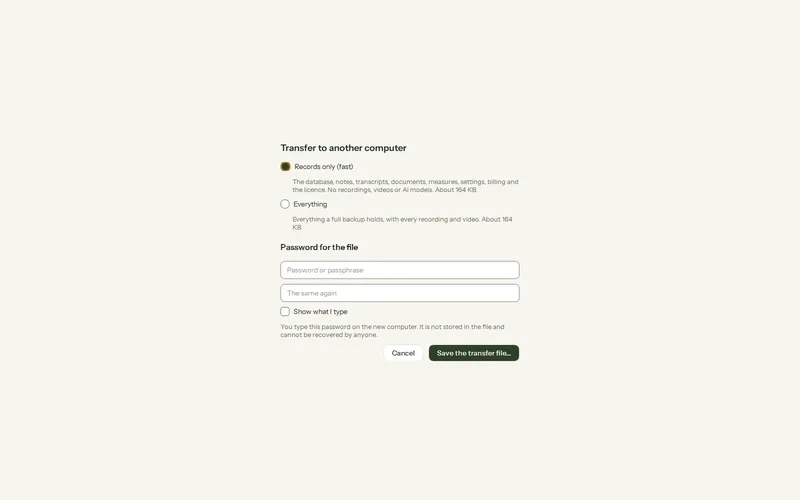
Where: Settings > Privacy and security > Backups > Transfer to another computer
Step 1: On the old computer, open Settings > Privacy and security > Backups > Transfer to another computer and press Make a transfer file.
Step 2: Choose Records only (fast; the recordings stay behind) or Everything, and a password of at least 8 characters.
Step 3: Save the file to a USB drive or a folder you share with yourself.
Step 4: On the new computer, install Olive Grove and choose I have records from another computer on the first screen (or in the same place in Settings).
Step 5: Choose the file and type the password. Check the summary of counts on both computers.
Was this article helpful?
Related articles
Still need help?
Write to us. We read every message and reply within one business day.