
Billing in Olive Grove online
Checked against the app on 29 October 2026
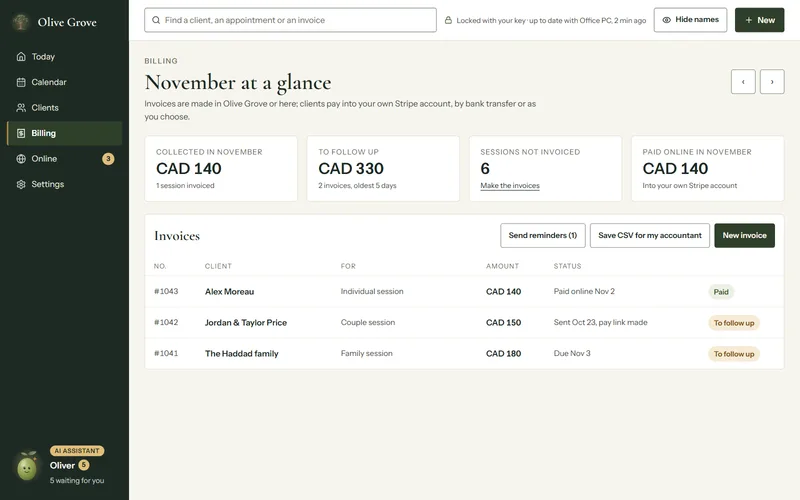
In Olive Grove online, Billing shows the month at a glance and your invoices. You can make an invoice, send it with a pay link, send reminders, record a payment and save a CSV for your accountant, made in your browser.
Where: Olive Grove online > Billing
Step 1: Choose New invoice, or Make the invoices under Sessions not invoiced.
Step 2: Choose who it is for, what it is for and the amount, then Make the invoice. Invoices made here are numbered in their own series, starting with W.
Step 3: Open the invoice and choose Send with a pay link. The client gets an email with the Pay online button, paid into your own Stripe account.
Step 4: When a client pays another way, open the invoice and choose Record a payment.
- Send reminders emails each invoice to follow up that has a pay link.
- Save CSV for my accountant saves the month’s invoices and payments as a file, made in your browser.
Was this article helpful?
Related articles
Still need help?
Write to us. We read every message and reply within one business day.