
Archive, merge or delete a client
Checked against the app on 24 October 2026
Archive a file to hide it from lists without deleting anything, merge a duplicate into the file you keep, or delete a client permanently. End care first if therapy has finished.
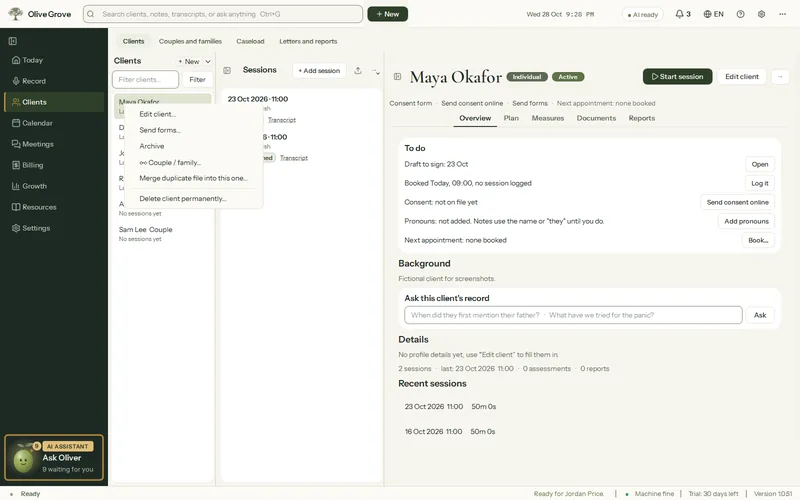
Where: Clients > a client > ⋯
- Archive hides the file from lists; Restore brings it back. Nothing is deleted.
- Merge duplicate file into this one… moves everything into the file you are in. The database is copied aside first.
- Delete client permanently… asks first and cannot be undone. Joint sessions move to the partner first.
Step 1: When therapy ends, use ⋯ > End care… to record why, how the client was, outcomes and follow-up. The client moves to Discharged and the file stays.
Step 2: Archive the file if you no longer want to see it in lists.
Step 3: Keep the record for as long as applies where you practise. Each file shows its keep-until date.
Was this article helpful?
Related articles
Still need help?
Write to us. We read every message and reply within one business day.