
Export and share a record
Checked against the app on 24 October 2026
Export a note, a transcript, a whole session or the full record as PDF or Word. For email, choose a password-protected PDF. A client review and a supervision pack with names replaced are one click away.
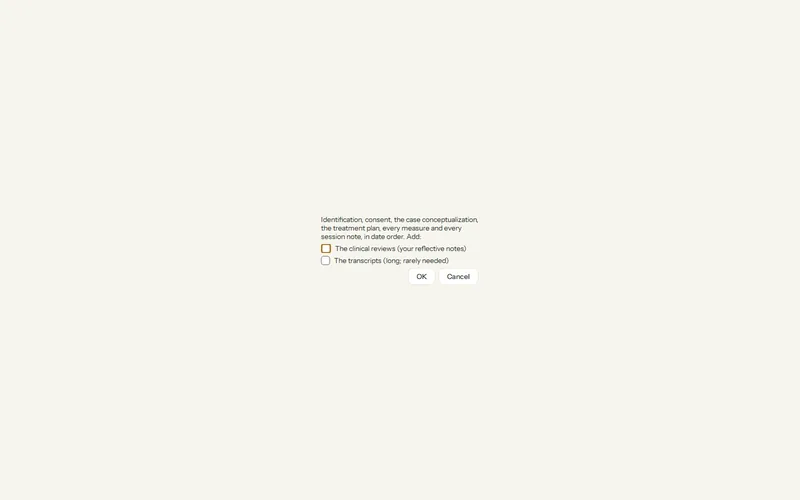
Where: Clients > a client > ⋯ > Export full record…
The full record
Step 1: Open the client, then the ⋯ menu, Export full record….
Step 2: Choose PDF or Word, and tick reviews or transcripts only if they are part of the request.
Step 3: Read the document before you send it, then record the release in the client’s care record.
It holds identification, consent, the care record, conceptualization, plan, measures and every note, in date order. Practice history and Consult conversations are left out. A connected client’s export is marked “REVIEW BEFORE RELEASE”.
A password-protected PDF
In any Export, choose Password-protected PDF as the file type. You set the password, or ask the app to suggest one. The file is sealed with AES-256 and opens in current PDF readers. The password is not saved anywhere: send it another way, by text or by phone.
For a review or supervision
- Client review… (Ctrl+Shift+V): a one-page review for a plan review, made without AI.
- Supervision pack…: formulation, plan, approach, recent sessions and your questions, with the names of the client and linked members replaced. Check it for other details before sharing.
Was this article helpful?
Related articles
Still need help?
Write to us. We read every message and reply within one business day.