
Who is speaking: speaker labels and voices
Checked against the app on 24 October 2026
Olive Grove separates the voices after each session and names them from voice signatures it learns. When a label is wrong, swap therapist and client, give any line to anyone, or work the labels out again from the audio.
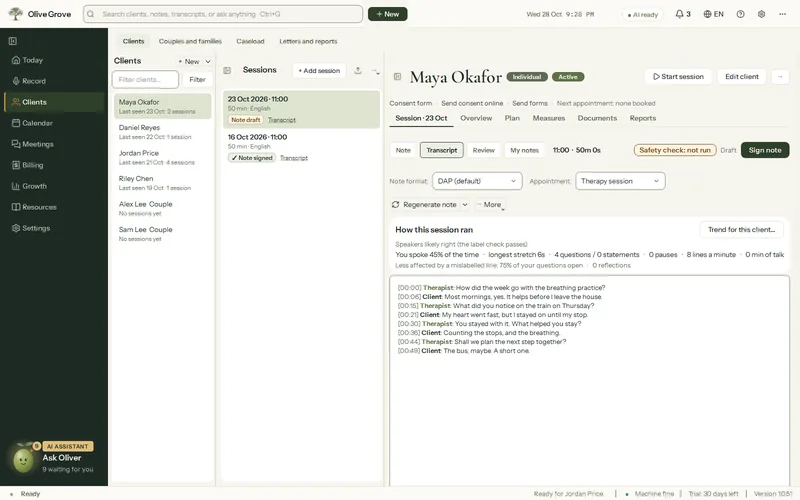
Where: Clients > a client > a session > Transcript
Step 1: Open the session’s Transcript.
Step 2: If therapist and client are the wrong way round, press Swap therapist / client.
Step 3: To fix single lines, press Correct speaker labels… and give each line to a name, Therapist, Client or Background.
Step 4: If the labels are flagged, Fix speakers from audio works them out again from the recording.
Step 5: When they are right, press Labels are right. The figures that depend on who spoke are recalculated, and you are offered a rewrite of the note.
Voice signatures
- Your own voice is learned by itself from sessions with at least two different clients. You are asked once, with a short clip, “Is this you?”.
- During a session, Voices above the live transcript lists every voice heard so far; choose one to correct its name at any time. A new voice that speaks for 20 seconds or more is asked about in a quiet strip, never a dialog.
- After a session, only voices still uncertain wait in the bell, with a best guess chosen.
- A signature is 192 numbers, not audio, kept on this computer. Edit client > Voice > Forget deletes it; deleting the client deletes it too.
Was this article helpful?
Related articles
Still need help?
Write to us. We read every message and reply within one business day.