
Choose how the AI writes
Checked against the app on 24 October 2026
The AI runs on your computer. You choose its rules (such as only what was said), your own house rules, the approaches you use, what runs after each session, the language it writes in, and the model.
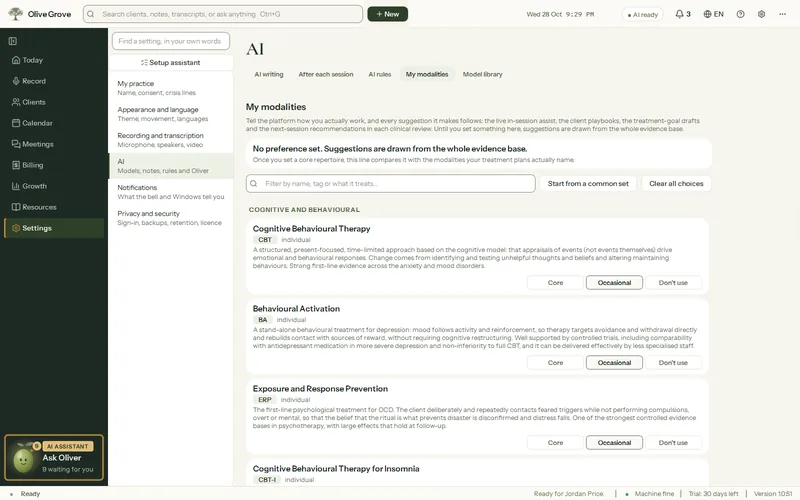
Where: Settings > AI
| Setting | What it does |
|---|---|
| AI rules | The standing rules every AI output follows, such as only what was said and diagnoses worded as provisional, each switchable, plus your own rules. Changes apply to the next thing written and are logged. |
| My modalities | Mark each of 33 approaches Core, Occasional or Don’t use, and choose stances. Cues, techniques and playbooks follow. |
| After each session | Which AI steps run after each session (the note is always written), how often the playbook, formulation and plan are rebuilt, how often measures are prompted, and when a silent session ends itself. |
| AI writing | Use the graphics card, the model for live cues, and the safety check after each note. |
| Model library | Which model writes notes and cues; measure one on this computer, download, switch or remove models. A model you chose is never replaced automatically. |
The language of notes, reviews, live cues and Ask answers is set separately from the interface, in Settings > Appearance and language > Languages.
Was this article helpful?
Related articles
Still need help?
Write to us. We read every message and reply within one business day.