
An email did not arrive
Checked against the app on 24 October 2026
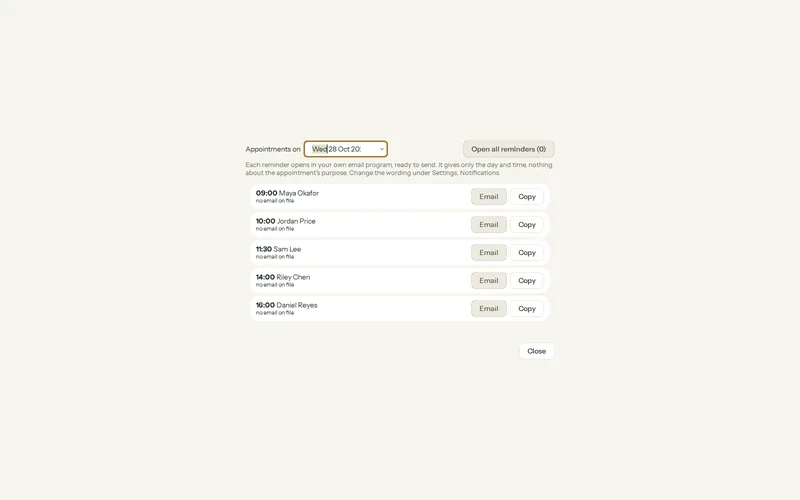
Wait a minute, then look in spam, junk or promotions, and check the address for typing errors. Some emails are not sent by Olive Grove at all: invoices and the reminders you send yourself open in your own email program.
Your sign-in code
Step 1: Wait a minute and look in spam, junk and promotions. Search your mailbox for “Olive Grove”.
Step 2: Check the address on the sign-in page. Press Use a different email to correct it.
Step 3: If the page says too many codes were asked for, wait a minute before asking again.
Step 4: Or press Continue with Google if your address is a Google account.
Emails your clients should receive
| Sent when | If it did not arrive | |
|---|---|---|
| Booking confirmation and reminders | A client books on your page; reminders 24 hours and 2 hours before. | Ask the client to check spam and the address they typed. The booking under Online booking shows it. |
| Automatic reminders | The day before or 2 hours before, for clients with an email address. | Check the client’s email in their file. Olive Grove must have been open to send the next three days to the reminder service. |
| Forms to fill in | You press Send forms, or a booking sends them. | The link was also copied to your clipboard when you sent it: paste it into your own message. |
| Invoices, receipts and the reminders you send yourself | Your email program opens with the message ready. | Olive Grove does not send these. Look in your own Sent folder and outbox. |
Still nothing after checking all of this? Write to support with the address and the time it should have arrived.
Was this article helpful?
Related articles
Still need help?
Write to us. We read every message and reply within one business day.