
Activation and licence problems
Checked against the app on 24 October 2026
Most activation problems are an expired code, a different account, or two computers already in use. The activation page says which, and lets you free a seat on the spot. The footer and Settings > Licence always show how long the licence lasts.
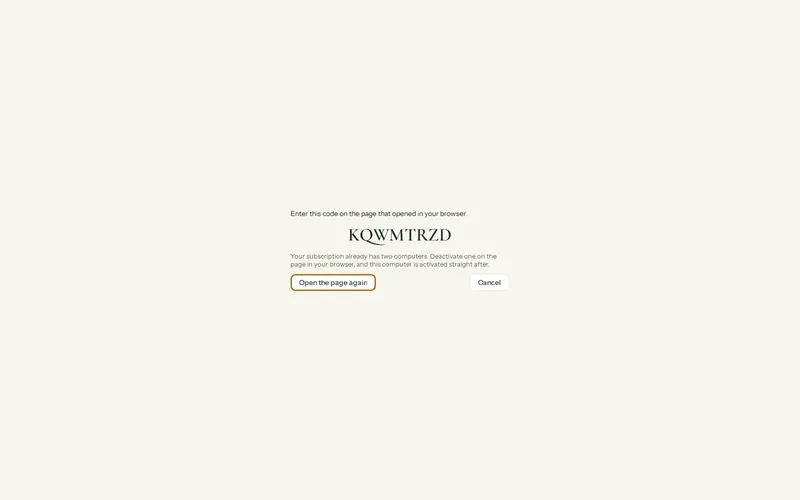
Where: Settings > Privacy and security > Licence
| What you see | What to do |
|---|---|
| “This code has run out” or “has already been used” | Codes last ten minutes. In the app, press Activate Olive Grove again for a new one. |
| “Two computers already use Olive Grove” | The page lists both. Press Deactivate beside the one you no longer use, then approve. |
| “This account is on the waiting list” | You are signed in with an address that has not been invited yet. Sign out and sign in with the address your invitation went to. |
| “Your free trial has ended” | Press Choose a plan to subscribe, then come back to approve. |
| The code does not match the app | Press This is not my computer and start again from the app. Never approve a code you did not ask for. |
The app says the licence is about to end
Step 1: Connect to the internet. The licence on the computer lasts 35 days and renews itself while online; the warning shows in the last 7 days.
Step 2: Open Settings > Privacy and security > Licence and press Check now.
Step 3: If it still does not renew, sign in to your account and check that your subscription is active and your card is up to date. See Change your plan or card, or cancel.
Was this article helpful?
Related articles
Still need help?
Write to us. We read every message and reply within one business day.