
Session languages and translation
Checked against the app on 24 October 2026
Olive Grove transcribes about 100 languages. Choose the language spoken, Auto-detect, or a “→ English” option that translates as it transcribes. Notes can be written in a language of your choice.
Where: Record > Recording options > Language
Step 1: On Record, open Recording options and choose Language: a language, Auto-detect, or “<language> → English”.
Step 2: For sessions that move between French and English, choose “English and French (switches)”, or Auto-detect, which switches when the speakers do.
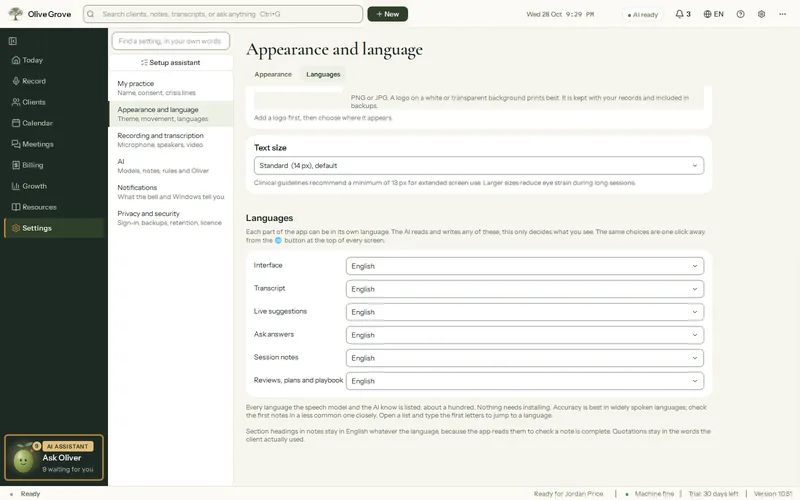
Step 3: To choose the language of the notes, reviews, live cues and Ask answers, open Settings > Appearance and language > Languages. Each can be “Same as the session” or a language of its own.
- The language is locked during a session. A change from the globe button in the header applies from the next session.
- Note section headings stay in English, whatever the note language.
- The app’s own interface is in 11 languages: English, French, Spanish, Portuguese, German, Italian, Chinese, Hindi, Arabic, Persian and Turkish. Arabic and Persian are laid out right to left.
- Risk watch recognises phrases in English, French and Arabic.
Was this article helpful?
Related articles
Still need help?
Write to us. We read every message and reply within one business day.