
Record supervision and meetings
Checked against the app on 24 October 2026
Record a supervision, consultation or practice meeting, or write one up from a recording or your notes. Every detail is kept, organised. A supervision files a dated entry in each client you add, about that client only.
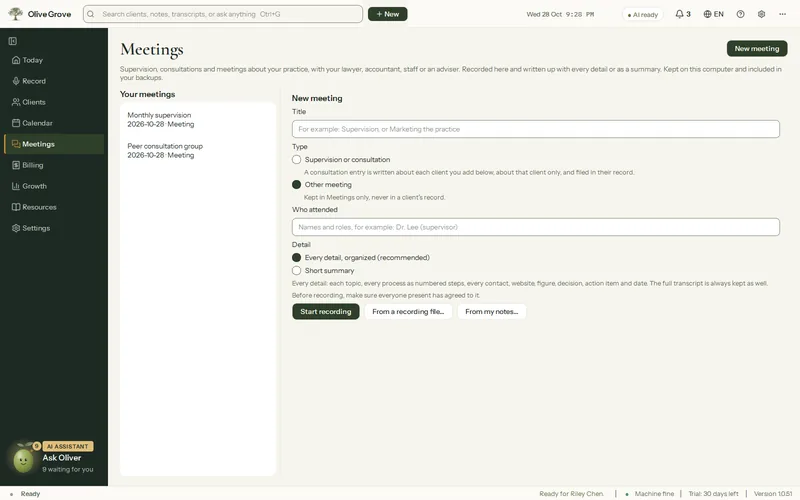
Where: Meetings (Ctrl+5) > New meeting
Step 1: Open Meetings in the left menu and press New meeting. (Also: Record > “Record a meeting or supervision”, or New > Meeting…)
Step 2: Choose the kind of meeting and who attended. For a supervision or consultation, add the clients discussed.
Step 3: Record it, or choose a recording file, or type your notes.
Step 4: When it ends, the write-up runs in the background and shows in the footer. Leaving the page never stops it.
The write-up keeps each topic and point, processes as numbered steps, contacts, figures, decisions, action items and dates. The transcript is always kept too, and a short summary is optional.
Was this article helpful?
Related articles
Still need help?
Write to us. We read every message and reply within one business day.