
Talk with Oliver
Checked against the app on 24 October 2026
Talk with Oliver: ask out loud and he answers aloud, with the same sources and actions as Consult. For you, the clinician, never during a session, and no audio is kept.
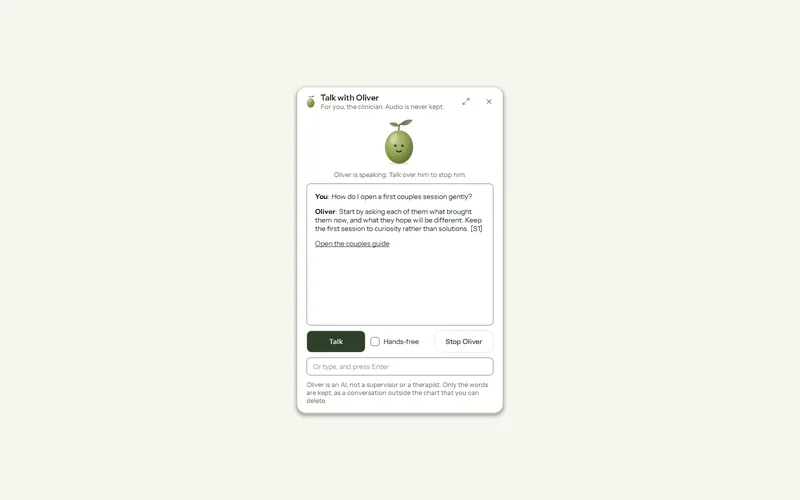
Where: Consult > Talk (the microphone at the top); Go to anything > Talk with Oliver
Step 1: In Consult, press Talk (the microphone at the top), or type Talk with Oliver in Go to anything.
Step 2: Hold Space (or the Talk button) while you speak, then let go. Or tick Hands-free and simply speak.
Step 3: Oliver answers aloud and on screen. Talk over him to stop him at once.
Step 4: An action he offers (book, open, email) is done only when you press it and confirm.
Oliver’s voice is chosen once in Settings > AI > AI writing > Oliver’s voice.
Was this article helpful?
Related articles
Still need help?
Write to us. We read every message and reply within one business day.