
Hide names and the idle lock
Checked against the app on 29 October 2026
Olive Grove online shows initials on Today and Calendar, and Hide names puts initials everywhere when someone may see your screen. After 15 minutes without use it locks itself and clears your practice from the browser’s memory.
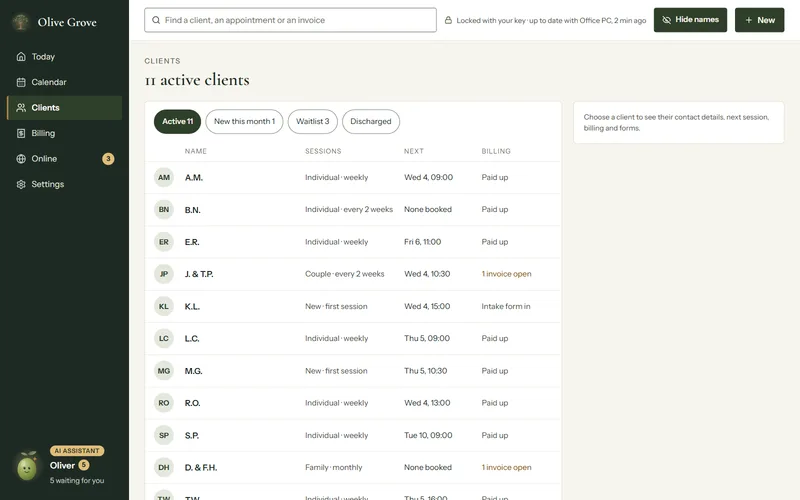
Where: The top bar > Hide names; Settings > Security
Names on screen
- Today and Calendar show initials by default. To show full names there, tick the choice in Settings, Privacy on screen.
- Hide names, in the top bar (the eye on a phone), shows initials everywhere and hides email addresses and phone numbers, until you press it again. This browser remembers your choice.
The idle lock
After 15 minutes with nothing done, your key and your practice are cleared from the browser’s memory and the page says it is locked. Choose Unlock to open it again; Lock now in Settings, Security locks it at once.
A second factor
Step 1: In Settings, Security, choose Set up an authenticator app.
Step 2: Scan the code with your authenticator app, or type the key shown under it.
Step 3: Type the six digits the app shows and choose Turn on. From then on, opening and unlocking Olive Grove online ask for a code.
Was this article helpful?
Related articles
Still need help?
Write to us. We read every message and reply within one business day.